1
 Jul 21, 2026
— https://sf.gl/2245
Jul 21, 2026
— https://sf.gl/2245
Asus XG27JCG: An Apple Studio Display XDR contender?

A couple of years ago, I gave in and paid the Apple tax for the Studio Display (1st generation.) Was it worth the money? Yes. The picture is crystal clear, you only have to connect 1 cable for the display to work and charge your MacBook. The speakers, microphone and webcam is acceptable. And it looks great on my desk.
Recently I got a new office, so now I need a new monitor for my home office, for a mix of work (writing emails and code) and gaming. These days, you can actually get decent 5K monitors that can do both.
I also did not want to pay 5x the cost for another Apple monitor I'll only use once in a while.
So the choice fell between the Asus XG27JCG and Samsung Odyssey G80HF, both gaming monitors that do 5K resolution at high refresh rates.
Why the Asus? It offers an USB-C input, as I want to connect both my MacBook for work, and my gaming PC. The Samsung eschews the USB-C input and costs a little less.
On 5K and High Refresh Rates
Why 5K? Once you're used to working with 5K (5120x2880) resolution, it's hard to go back to 4K or even 1080p. In terms of pixels, 5K has 77% more pixels compared to 4K. This means the display is far more detailed, and you can simply fit more stuff on your screen.
Why a high refresh rate? It used to be that monitors were limited to 60hz, or 60 images per second, which is acceptable. This one, however, can do up to 330hz in a special gaming mode. (More on that later.) I admit, if you're not doing much gaming, it may be a waste, but it's also one of those things where once you're used to it, it's hard to go back. Many people can't even tell the difference. In my case, I've gotten used to ProMotion – Apple's branding for 120hz – on my MacBook and iPhone. Can I live without it? Yes. Is it nice to have, and does it make interacting with your computer incredibly smooth? Also yes.
The Design
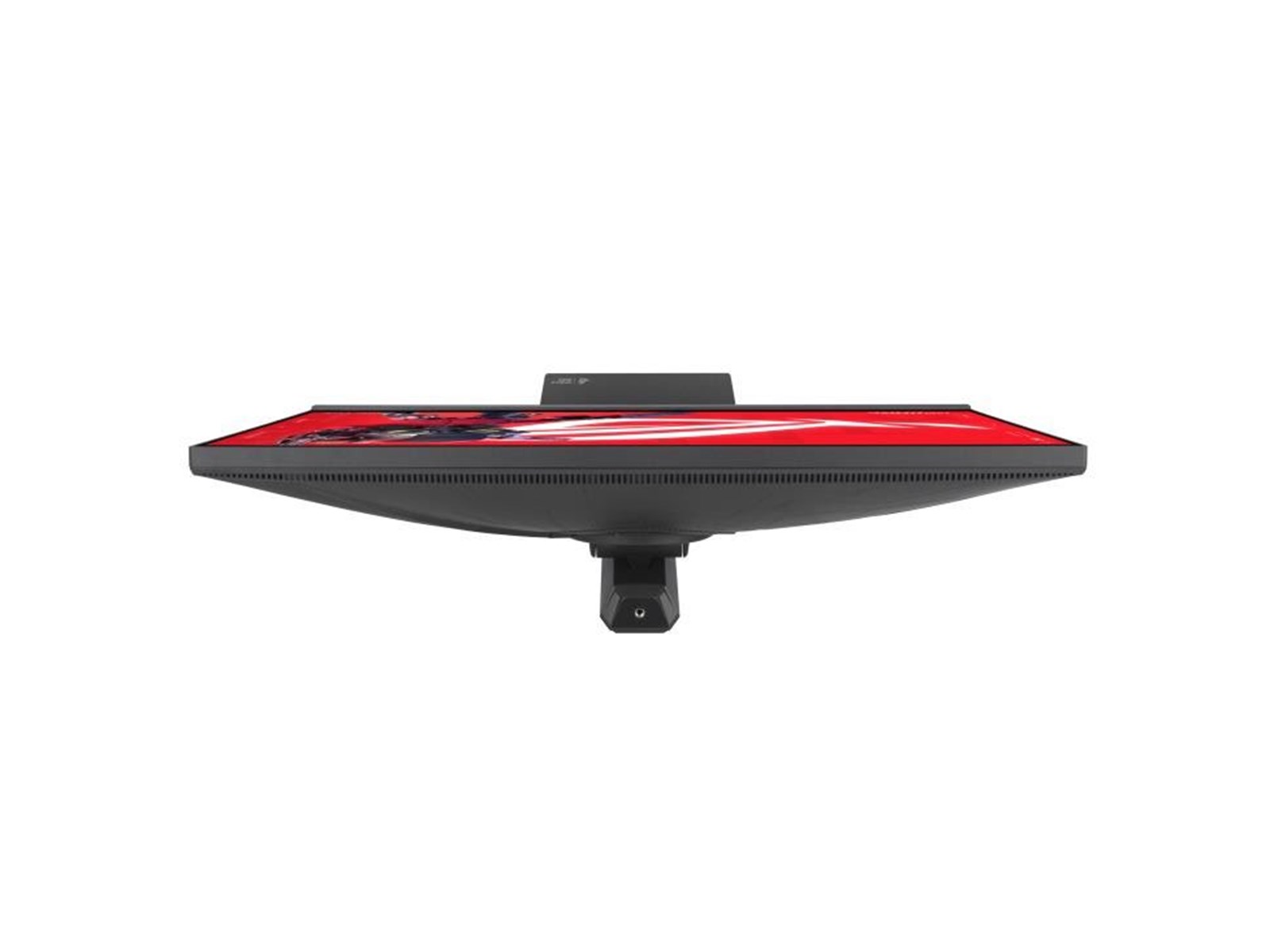
On the front, it looks almost like any other PC monitor, save for the small Asus gaming branding on the lip. It's all black (matte, thankfully) plastic, but it is way more bulky than the Studio Display. It's hefty. The stand is nice and heavy, made of metal.
However, on the back there's a whole ass light show, it is a gaming monitor after all. It's not quite my tempo. You can turn it off.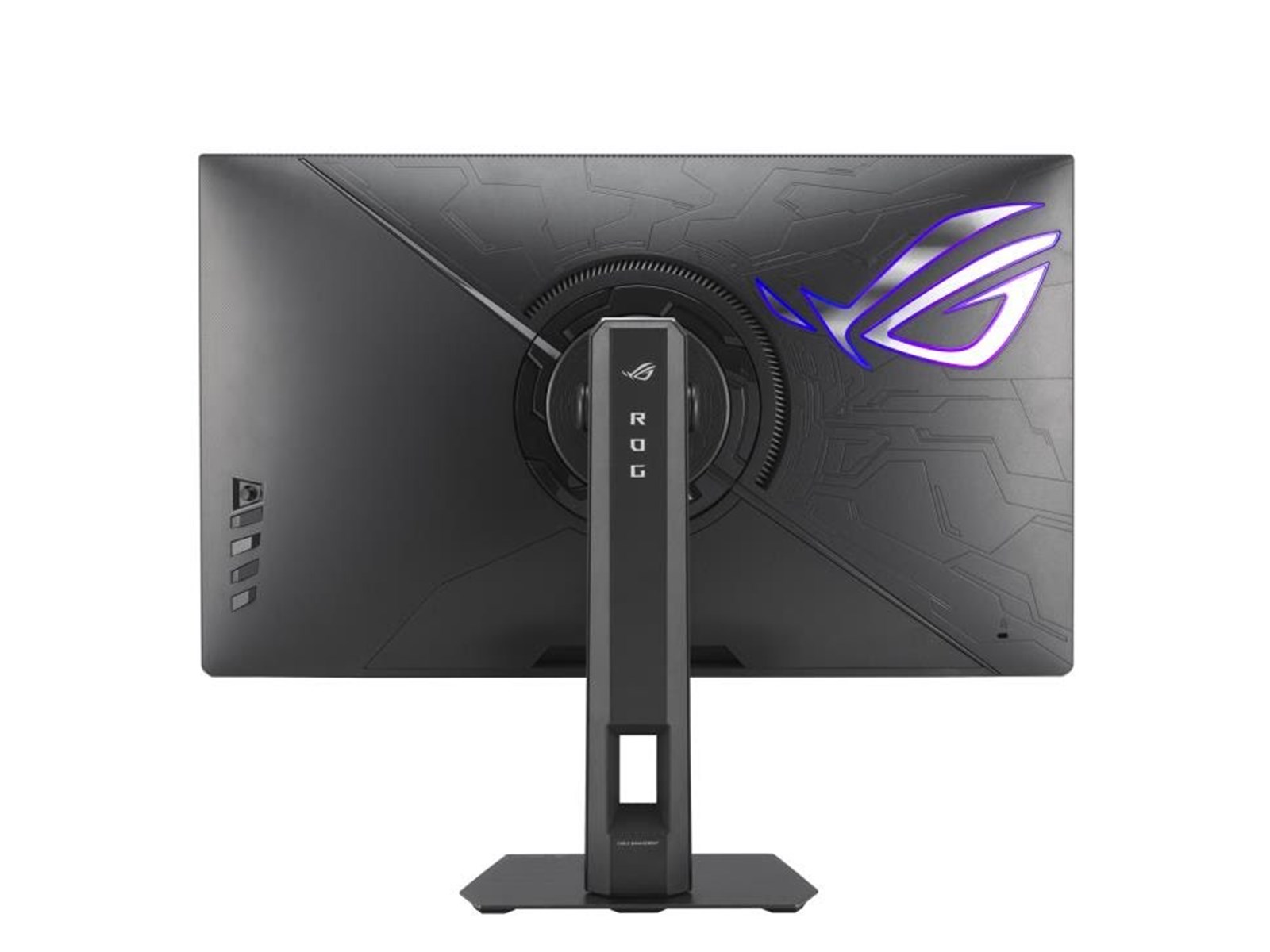
Also unlike the Studio display, you can adjust the height and even rotate the display 90°, which is great for viewing documents or coding.
Peripherals
For inputs, there's 2x HDMI, 1x DP and 1x USB-C (DP Alt Mode) with 15W charging.
There's also 3 USB-A ports. When you connect via USB-C, I naively thought you could just connect things to the USB-A ports. But no, you'll need to connect to the hub first via the USB-B cable (not included.) So no 1-cable lifestyle for you unless you connect via a hub.
When you connect a MacBook via USB-C, it runs at 165hz at 5K, while charging (albeit at a measly 15W, which barely keeps my 14" MacBook Pro going), which is nice.
There is no speaker, microphone or webcam here. Maybe it's for the better, usually PC monitors have abysmal speakers.
Note that if you connect a speaker to the monitor's minijack output, you cannot control the volume through macOS natively. Changing the display volume still only seems to be possible on Windows, unfortunately.
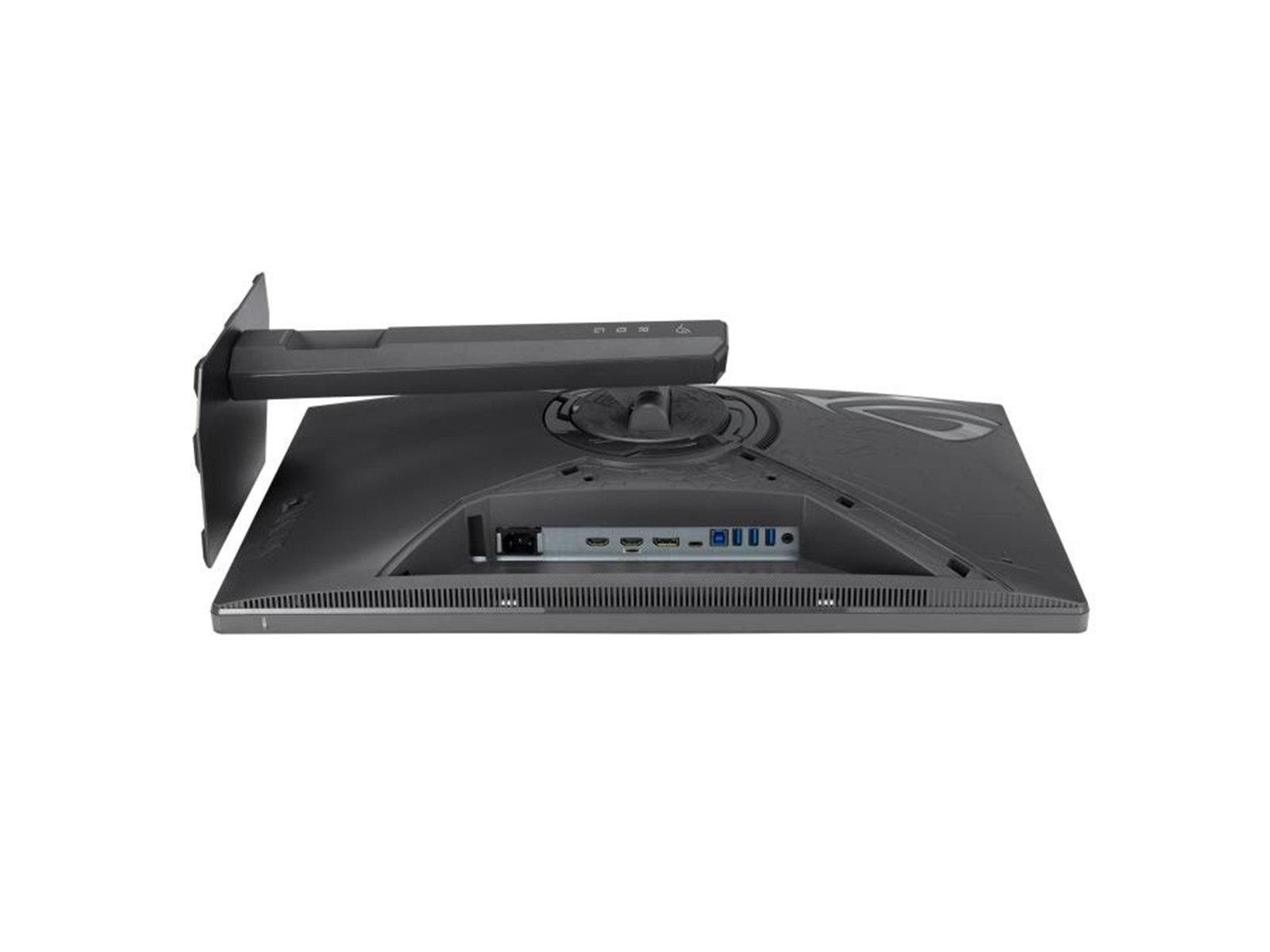
It is also incredibly annoying to connect stuff to the display. The ports are buried deep, and there's a huge lip that prevents you from seeing what you're doing. You'll probably want to rotate the display 90° to actually connect those USB, DP and HDMI cables. Not good. And the display stand uses rubber feet, so it really sticks to the table, preventing you from moving it a bit to see the back. (You can easily rotate a Studio Display to connect stuff at the back.)
Picture Quality
When I first turned it on I was like, what the fuck is this? The display is dark as hell. Do I have to return it? But as it turned out, out of the box, maybe due to silly EU regulations, it's in power-saving mode, which is 10% brightness. As soon as you touch the brightness setting in the screen's settings menu, you can set it to 100%.
Even then, the monitor is a little dark. With everything cranked up, it's comparable to a MacBook Pro M4 at 2/3 brightness. Colors really pop on a Studio display, I can't say that about the Asus.
I'll say the picture quality is acceptable, but due to the matte coating, the picture is grainy, which is to be expected.
HDR doesn't really seem to work well, as it's not an OLED monitor. When it's enabled, everything becomes washed out, both in Windows and macOS. I don't understand why you might want to turn it on.
Running it on macOS
When using it with macOS device, I'm running in scaled mode at 3008x1692 at 165hz, which I think is a good balance. At scaled mode 2560x1440, the display is a little sharper, as the OS runs at exactly 2x the native amount of pixels, and not a fraction of it. In practice, the fractional scaling is hardly noticeable at 5K.
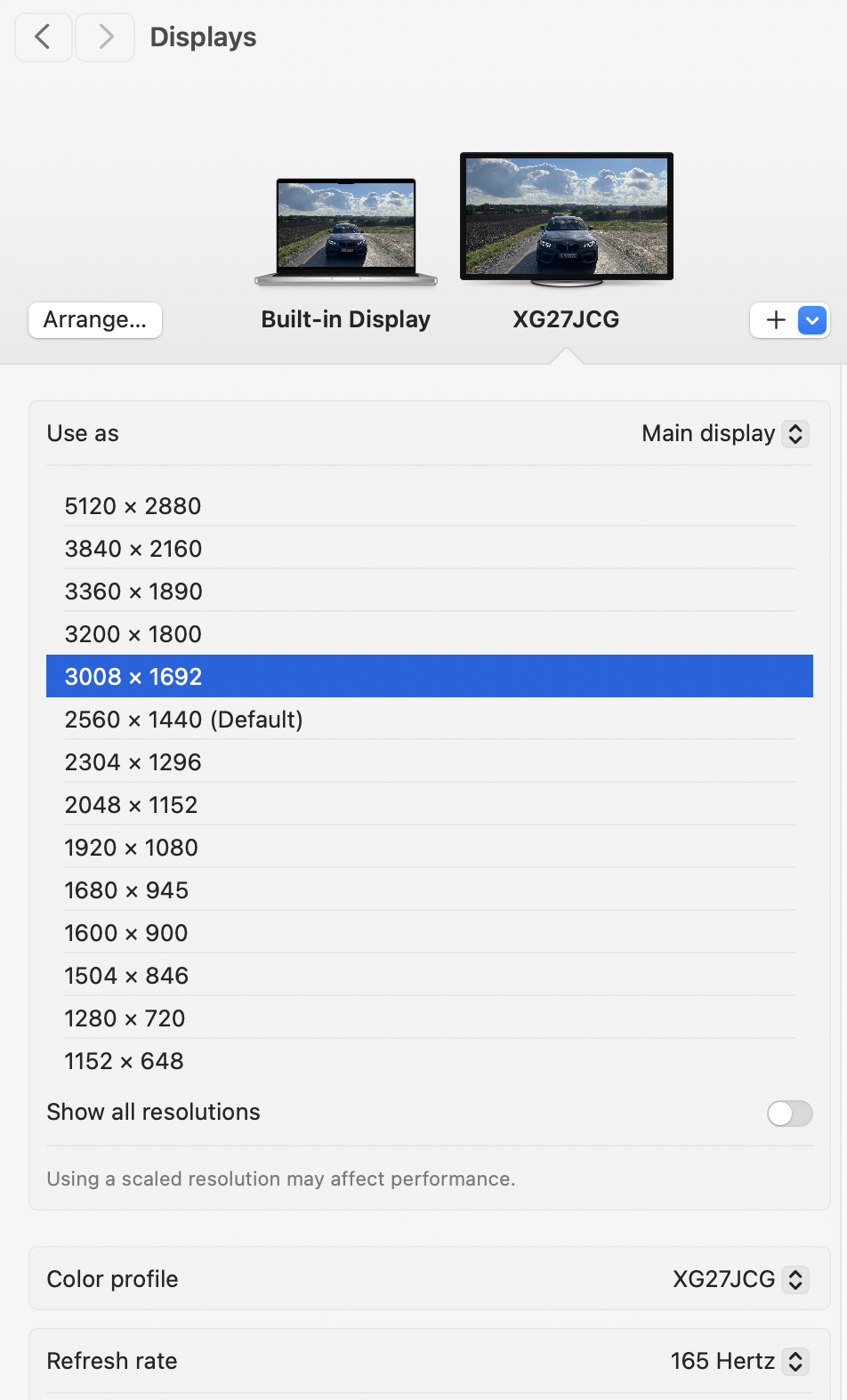
A whole host of scaled resolutions are available in macOS. 3008x1692 is a good balance.
Gaming and Frame Rate Boost switching
The Asus is phenomenal as a gaming monitor. As it should be.
It's compatible with FreeSync and G-Sync, and playing Counter-Strike 2 at 330hz, it's just incredibly smooth. Does it help to get more frags at 330hz? Probably not. But it feels great. There's little to no motion blur and ghosting. It's really good.
There's a bunch of bullshit features like built-in crosshairs and AI-powered features like Dynamic Shadow Boost, which I've completely ignored.
An important caveat if you're switching between work and gaming: If you want to switch between 5K at 165hz and 2K at 330hz, note that you'll have to enable Frame Rate Boost it in the display's settings menu, every time. Because when 330hz is enabled, the 5K resolution becomes unavailable.
So, Is It A Contender?
It depends.
Are you switching between a MacBook and a PC, and want to do a little gaming, but still like the 5K resolution for work? Yes.
Do you want a drop-in replacement for the Studio Display? Then make sure you're aware of the compromises - worse picture quality and brightness, no speaker, no webcam, and the USB-C connection only charges at 15W, with no hub connection.
For me, the compromises are worthwhile as I can get 5 Asus monitors for the price of 1 Studio Display XDR.
No AI/LLM was used to write this post. This post is not sponsored – I bought the monitor with my personal funds.
Sep 9, 2026 at 12:59
who are you?